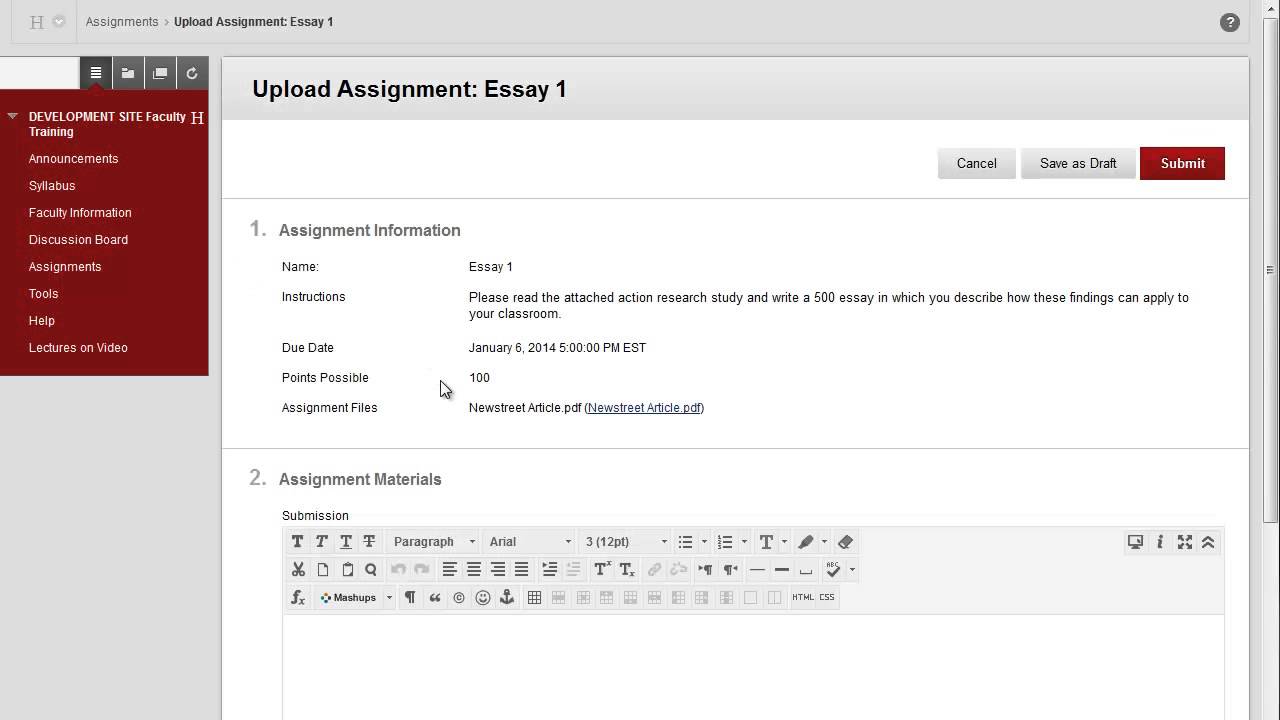
Student Blackboard Portal Guide Blog & Support

The blog is put together by a student and advice on support. The blog also answers some often asked questions like how to access blackboard portal, what is the log in information, and where is my username.Blackboard-faq.com is aimed at the students by providing useful information about the platform. It mainly provides how-to guides for the students who are new to it or those who need a refresher course of its features.
Featured

how to access old papers on blackboard

The icon that appears alongside assignments in your Blackboard courses will change from the Turnitin logo to the standard link icon. This is the easiest way of knowing if a Turnitin link has been ...

8 min read

how to access a blackboard collaborate recording

To record a session please click the menu link in the top left corner and choose start recording. Students can access recordings by clicking the menu link in the top left corner of the Blackboard ...

3 min read

how to creatte thread in blackboard

Open your Blackboard course and click the Discussion Board link ... Open a discussion board and click Create Thread. You will see the forum description provided by your tutor, including the purpose of ...

3 min read

can blackboard see what i google

If you click on the Collaborate link from your Blackboard course, but all you see is a spinning ... Collaborate can be accessed from within China, but we recommend students download Firefox on to a ...

5 min read

how do you upload an assignment to blackboard

ii. The Content Collection. This is your own personal area within Blackboard that allows you to upload files to it. iii. Cloud Storage. For example Google Drive or Dropbox. Please note: media ...

9 min read

how to undo a course copy in blackboard

Qwickly is an efficiency tool that allows you to apply common tasks to multiple Blackboard courses simultaneously ... As this tool allows you to impact multiple courses, it should be used cautiously.

5 min read